
Beko TV screen mirroring with an iPhone
By  Vlad Karatai · Updated · 4 min read
Short answer
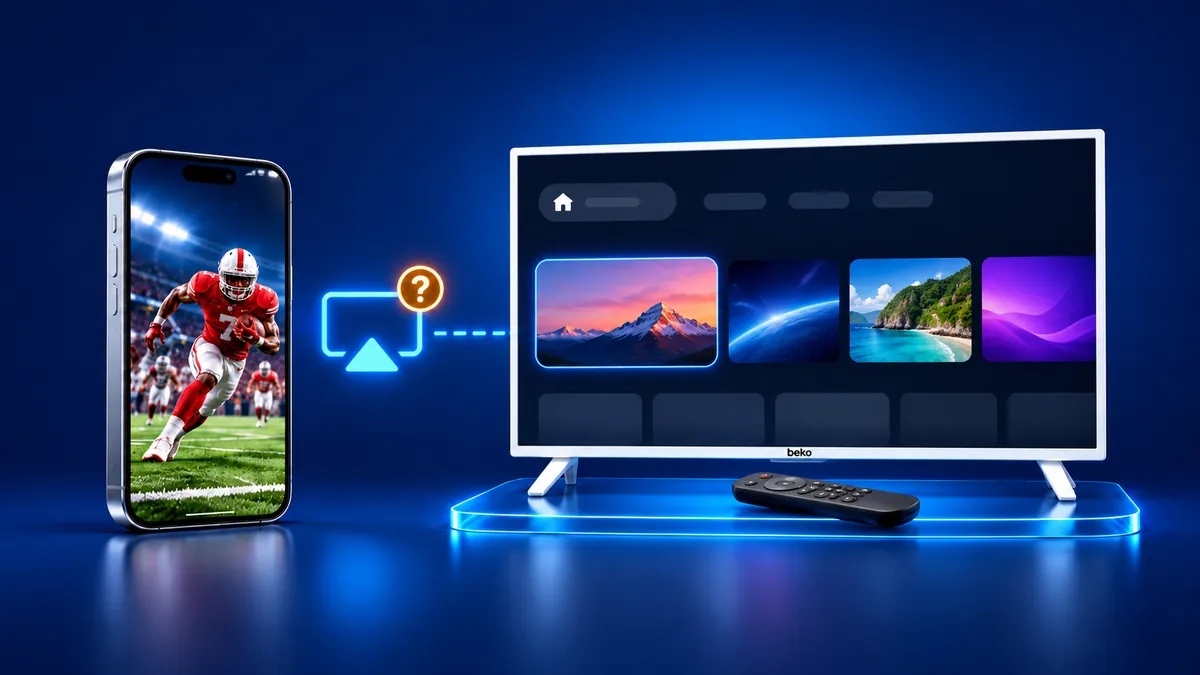
Beko's pages describe no AirPlay, so Beko TV screen mirroring from an iPhone takes a Cast button, a cable or an app. All 18 catalog TVs run Google TV and list Chromecast, which plays video from apps with a Cast button. For the whole screen, the Screen Mirroring · Smart TV app supports 12 platforms, including Chromecast and Android TV.
Contents
How do I mirror an iPhone to a Beko TV?
Use an app. Screen Mirroring · Smart TV finds your TV on its own once the iPhone and the TV share a Wi-Fi network, then mirrors the whole screen. The sound plays on your TV speakers.
It supports 12 platforms: Samsung, LG, Sony, TCL, Hisense, VIZIO, Philips, Roku, Fire TV, Chromecast, Android TV and Apple TV. Beko's own catalog pairs all 18 TVs with Chromecast.
Choose your TV the first time. The app remembers your TV, so next time it is one tap. No codes to type, no ads. It runs on iPhone and iPad. Free download on the App Store
To begin:
- Join one Wi-Fi network on both the iPhone and the Beko TV.
- Open the app and tap your TV in the list.
- Start mirroring.
Why can't an iPhone mirror to a Beko TV on its own?
Beko describes no AirPlay on its TVs. Its page for iPhone users says the TV has no supported wireless display technology for iPhone and offers a wired option, a Lightning to HDMI converter.
The B 1265 C AI manual does not use the word AirPlay. Apple's list of AirPlay-enabled TVs has no Beko entry.
Another Beko page, on phone and tablet mirroring, covers the menus Sağ Altta, Sol Altta and Sol Üstte (settings at the bottom right, settings at the bottom left, picture at the top left). It says an iPhone screen cannot be sent, and it points to an HDMI MHL input and cable.
The B 1265 C AI manual also says Arçelik A.Ş. made the TV. Our guide to Arçelik TV screen mirroring covers Arçelik's own TVs.
Does Google Cast work from an iPhone on a Beko TV?
Yes, for video from apps that have a Cast button. Beko's catalog lists Ekran Yansıtma (Screen Mirroring) as Chromecast.
The manual's Google Cast chapter covers Android and iOS, with one Wi-Fi network and iOS 7.0 or later. Google's help page asks for iOS 14 or later, so the two numbers differ.
Still want to skip the app? Google's steps for an iPhone:
- Connect the iPhone to the same Wi-Fi network as the TV.
- Open a video app with a Cast button.
- Tap the Cast button, then pick the Beko TV.
- A solid Cast button means you are connected. To end the session, tap it, then Disconnect.
On iOS 14 and later, Google says Local Network must be on. If the TV is missing from the list, turn Local Network off and on again.
Will a cable work between an iPhone and a Beko TV?
Yes, if the iPhone outputs video. Apple's USB-C video list names iPhone 15, 16, 17 and 18 Pro models, but not the 16e or 17e. The listed models connect with a USB-C to HDMI adapter or cable.
A Lightning iPhone needs an adapter with a Lightning connector, like the converter Beko names. Apple adds that movies and some streaming apps need HDCP, and without it an alert asks for an HDCP-compatible device.
Where is Ekran Paylaşımı on a Beko TV?
Open Menü, then Ekran Paylaşımı (Screen Sharing), then OK. Beko wrote this path for Android phones, and the start menu of the TV decides what you see. Your model and software version sit under Sistem (System), then Hakkında (About).
- Settings at the bottom right (Sağ Altta Ayarlar/Hızlı Ayarlar): Menü, blue button (Gelişmiş Kullanım Moduna Geç, advanced mode), Ekran Paylaşımı, OK, then Görüntüyü Al (Get Image) and Live Share.
- Settings at the bottom left (Sol Altta Ayarlar): Menü, Ekran Paylaşımı, OK. A Kablosuz Adaptör (Wireless Adapter) message means the Wi-Fi adapter from the box has to sit in the TV's USB port.
- Picture at the top left (Sol Üstte Resim): press @ and choose Mirashare or Screencast, then OK.
- Search for films, TV and other content (Film, TV ve Diğer İçerikleri Ara): Beko points to the Google Home app.
- Beko says three menus have no screen sharing: Sol Ortada Resim/Kanal (picture and channel, middle left), Sol Üstte Görüntü Ayarları (picture settings, top left) and Sol Ortada Görüntü (picture, middle left).
What to remember
- Beko describes no AirPlay on its TVs.
- All 18 catalog TVs list Chromecast, and the manual puts iOS in its Google Cast chapter.
- Google Cast carries video from Cast apps, while a cable needs an iPhone with video out.
- Three start menus have no screen sharing at all.
Questions people ask
Does a Beko TV support AirPlay?
Beko describes no AirPlay on its TVs, and Apple's list of AirPlay-enabled TVs has no Beko entry. The catalog pairs all 18 TVs with Chromecast. Chromecast plays video from Cast apps. The whole iPhone screen takes an app or a cable.
Which iOS version does Google Cast need on a Beko TV?
Beko's manual says iOS 7.0 or later. Google's help page says iOS 14 or later and adds that Local Network must be on to find Cast devices.
Can an iPhone 16e or 17e connect to a Beko TV with a cable?
Apple's list of iPhones with video out over USB-C excludes the 16e and 17e. Apple says those phones can mirror with AirPlay, which Beko does not list. Use the app or a Cast button.
Read next
More guides
- Why Netflix Won't Mirror or AirPlay From an iPhone
- Smart View App on Galaxy and iPhone (2026)
- Onvo TV Screen Mirroring on iPhone: What Works (2026)
- Panasonic VIERA Screen Mirroring: iPhone and Android
- Philco TV Screen Mirroring From iPhone (2026)
- Sunny TV Screen Mirroring From iPhone (2026)
- Grundig TV Screen Mirroring: What Works on iPhone (2026)
- How to AirPlay to Samsung TV: Steps and Menu (2026)
- Vestel TV Screen Mirroring: iPhone and Android (2026)
- How to Mirror iPad to Roku TV: Steps and Models (2026)
- AirPlay Password: Where the TV Code Comes From (2026)
- How to Fix No Sound in Screen Mirroring (2026)
- Apple TV Screen Mirroring From iPhone (2026)
- Hisense TV AirPlay: How to AirPlay on Hisense TV (2026)
- TCL TV AirPlay: How to AirPlay to TCL TV (2026)
- How to Cast iPad to Samsung TV (2026)
- How to Mirror iPad to TV: 3 Ways That Work (2026)
- AirPlay Not Working on Samsung TV: Fixes (2026)
- What Is Screen Mirroring? How It Works on iPhone
- Vizio AirPlay: Mirror Your iPhone to a Vizio TV (2026)
