
AirPlay password: where the code on your TV comes from
By  Vlad Karatai · Updated · 4 min read
Short answer
An AirPlay password is a code your TV can show on screen the first time you connect, and you type it on your iPhone. Apple TV lists 4 choices under Allow Access, and one of them is Require Password. Samsung has its own Require Code setting. Our app needs no codes and runs on iOS 15.0 or later.
AirPlay code diagnostic
Pick what you see and get the steps that match.
What is happening with the code?
Contents
What is the AirPlay passcode on TV?
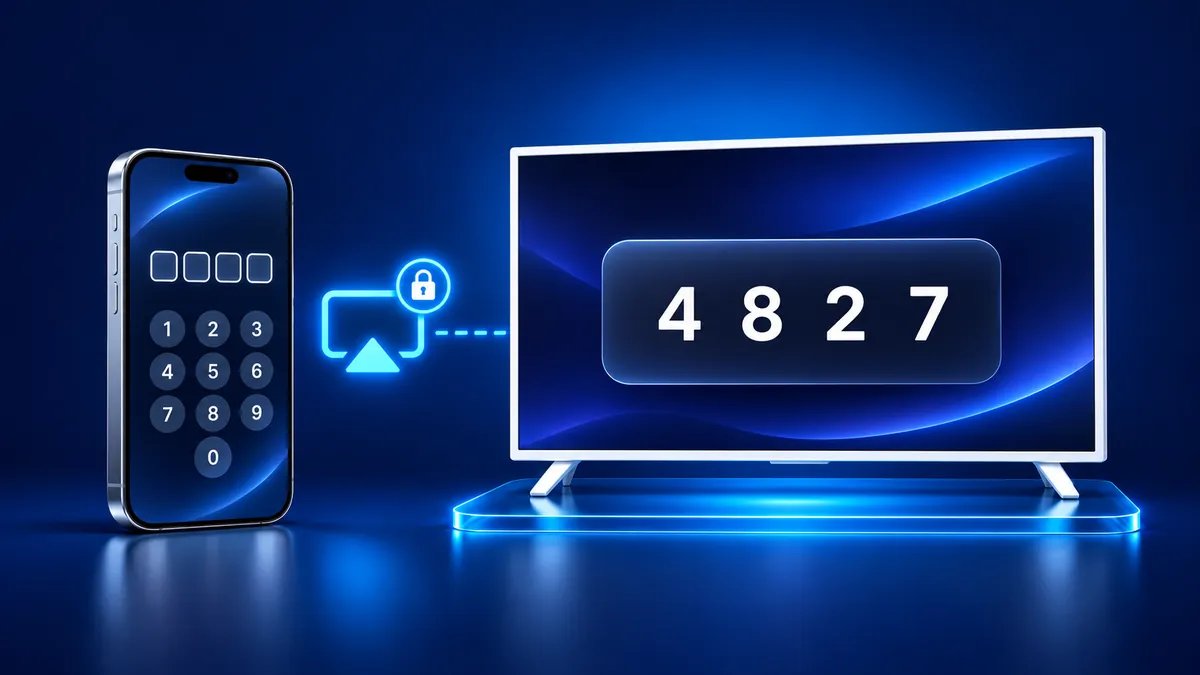
The TV shows this code on its own screen when your iPhone tries to connect, and you type it into the iPhone. Apple's AirPlay guide says the same: if a passcode appears on your TV screen, enter it on your iPhone or iPad.
Apple says you see an onscreen password the first time you use AirPlay with an Apple TV. Samsung says you may see a code on the TV.
On an Apple TV, the code is either the one shown on the TV screen or a password someone set in the Apple TV settings. Apple's pages give no fixed code and no digit count.
After the first connection the code usually stops appearing. Apple's deployment guide says later connections don't require a passcode unless onscreen code settings are enabled.
How to get AirPlay passcode off TV?
On an Apple TV, Allow Access sets who may stream to it, and one choice requires a password. Apple's password page lists the choices.
- On your Apple TV, go to Settings > AirPlay and HomeKit. On tvOS 27 the menu is AirPlay and Apple Home.
- Select Allow Access.
- To stop requiring a password, pick Everyone, Anyone on the Same Network or Only People Sharing This Home.
- If you want a code, pick Require Password, then select Password and enter your own.
AirPlay password for Samsung TV
A Samsung TV can ask for a code through a setting called Require Code. Open Settings (All Settings), choose General, then Apple AirPlay Settings.
Samsung's support page (Latin America English) names the Connection menu for 2022 to 2025 TVs in one place and for 2023 models in another. If General shows no AirPlay entry, look under Connection.
Require Code asks for a passcode the first time you connect an iOS device or every time. Reset Paired Devices in the same menu clears the iOS devices the TV remembers.
Roku AirPlay code and password
Roku's AirPlay and HomeKit article lists no AirPlay password setting. It says to open Settings > Apple AirPlay and HomeKit and set AirPlay to On.
The one code it describes is the eight-digit HomeKit code. You scan it with the iPhone camera, which is a different step from typing a passcode. The article has no menu for a typed code. See the Roku AirPlay guide for setup.
Why is Apple TV not letting me AirPlay?
An Apple TV may refuse AirPlay because of who may stream to it. Only People Sharing This Home limits streaming to people you added in the Home app. Read more in Apple TV screen mirroring.
Apple's troubleshooting page says to check that devices are on, updated and on the same Wi-Fi network, then restart them. If an Apple TV asks for a password, check its content restrictions.
A missing code is normal after the first pairing. A factory restore of the Apple TV resets that first-connection condition, so a code can return.
Mirror to your TV with no AirPlay code
Screen Mirroring · Smart TV needs no codes. It finds your TV on its own when your iPhone and TV are on the same Wi-Fi network. Pick your TV from the list once.
The app remembers your TV, so next time is one tap. It supports Roku, Fire TV, Chromecast, Samsung, LG and other major smart TVs.
It runs on iPhone and iPad with iOS 15.0 or later. Free download on the App Store.
What to remember
- An AirPlay code can appear on the TV the first time you connect, and you type it on the iPhone.
- Apple TV controls it under Allow Access, and Samsung under Require Code.
- Later connections skip the code unless onscreen code settings are enabled.
Questions people ask
What is my 4 digit passcode for Apple TV?
Apple's pages give no default code and no digit count. The code is the one the Apple TV shows on screen, or the password set under Require Password in the AirPlay settings.
Why does the AirPlay passcode show only once?
Apple says later connections don't require a passcode after the initial AirPlay connection, unless onscreen code settings are enabled. A factory restore of the Apple TV resets that condition.
Read next
More guides
- Why Netflix Won't Mirror or AirPlay From an iPhone
- Arcelik TV Screen Mirroring From an iPhone (2026)
- How to AirPlay to Samsung TV: Steps and Menu (2026)
- Vestel TV Screen Mirroring: iPhone and Android (2026)
- How to Mirror iPad to Roku TV: Steps and Models (2026)
- TV Not Showing Up on AirPlay? How to Fix It (2026)
- How to Fix No Sound in Screen Mirroring (2026)
- Hisense TV AirPlay: How to AirPlay on Hisense TV (2026)
- TCL TV AirPlay: How to AirPlay to TCL TV (2026)
- How to AirPlay on Google TV: Which TVs Have It (2026)
- How to Cast to Chromecast From an iPhone (2026)
- How to Cast iPad to Samsung TV (2026)
- How to Mirror iPad to TV: 3 Ways That Work (2026)
- What Is Screen Mirroring? How It Works on iPhone
- Apple AirPlay TV List: Which TVs Have AirPlay (2026)
- Vizio AirPlay: Mirror Your iPhone to a Vizio TV (2026)
- How to Cast to Samsung TV: iPhone and Galaxy (2026)
- What Is AirPlay? How It Works on iPhone and TV (2026)
- Can You AirPlay to Firestick? Only Some Fire TVs (2026)
- LG TV AirPlay: Which Models Have It and How to Use It
