
Arcelik TV screen mirroring from an iPhone
By  Vlad Karatai · Updated · 5 min read
Short answer
Built-in AirPlay is not the way: Arcelik does not describe it on its TVs. Each of the 16 TVs in its catalog shows Chromecast, and 14 of them run Google TV. On an iPhone, an app is a short route. Screen Mirroring · Smart TV supports 12 platforms, including Chromecast and Android TV.
Contents
- Does an Arcelik TV have screen mirroring for iPhone?
- How do I mirror my iPhone to an Arcelik TV?
- Does Google Cast work from an iPhone on an Arcelik TV?
- Will a cable work between an iPhone and an Arcelik TV?
- Where is Ekran Paylaşımı (Screen Sharing) on an Arcelik TV?
- Arcelik TV screen mirroring not working: where to look
- Questions people ask
Does an Arcelik TV have screen mirroring for iPhone?
On its page for iPhone owners, Arcelik admits that its TVs have no wireless method an iPhone can use. The answer given there is a Lightning to HDMI converter and a wire.
That leaves three routes for an iPhone: an app, Google Cast or a cable.
Searching arcelik.com.tr for AirPlay gives 0 results. The user manual for the A 1265 C AI does not mention it either.
Arcelik's own pages disagree for one group of sets. The page about mirroring a phone or tablet covers TVs whose start menu reads "Film, TV ve Diğer İçerikleri Ara", made from 2021. For iPhone owners it says to install AirScreen from the TV's Play Store, then press "Air Play" in Control Center. The iPhone page offers only the cable.
How do I mirror my iPhone to an Arcelik TV?
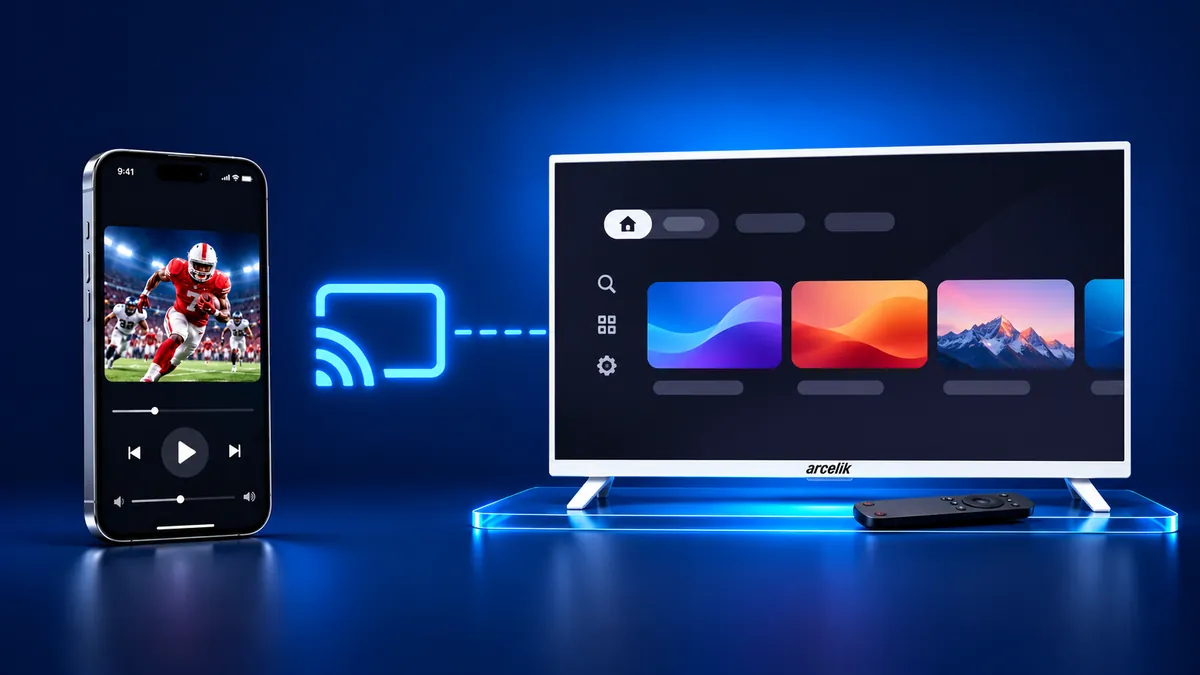
Start with the app. Screen Mirroring · Smart TV finds your TV on its own when your iPhone is on the TV's Wi-Fi.
Arcelik is not named in the app's list of 12 platforms, but Chromecast is, and the Arcelik catalog lists Chromecast on all 16 TVs. Pick your TV once and the app remembers your TV. Next time is one tap, with no codes to type and no ads. Free download on the App Store
Setup takes three steps:
- Connect your iPhone and TV to the same Wi-Fi network.
- Select your TV from the list of available devices.
- Start screen mirroring and enjoy your content on the big screen.
Does Google Cast work from an iPhone on an Arcelik TV?
Yes, for videos. According to the A 1265 C AI manual, Google Cast runs on Android and iOS. Google's help page for Cast-enabled apps names an iPhone or iPad on iOS 14 or later.
Prefer Google's own route? Here are the steps:
- Join the same Wi-Fi network as the TV.
- Launch an app with Cast support.
- Tap Cast and choose the TV.
- A solid Cast button means you are connected. To stop, tap it again and choose Disconnect.
Google says Local Network must be turned on for an iPhone to find Cast devices.
Will a cable work between an iPhone and an Arcelik TV?
Yes. Arcelik itself names a Lightning to HDMI converter.
Per Apple, these iPhones send video through USB-C: 15 models, 16 models other than the 16e, 17 models other than the 17e, iPhone Duo and 18 Pro models. Add a USB-C to HDMI adapter or cable. An iPhone with a Lightning port takes a Lightning Digital AV Adapter.
The wire shows your iPhone's own display. Apple also warns that HDCP is required for movies and some streaming apps. If the adapter has none, an alert asks for a device that supports it.
Where is Ekran Paylaşımı (Screen Sharing) on an Arcelik TV?
On the remote, press Menü and find Ekran Paylaşımı. Arcelik wrote these steps for Android phones, and the route depends on how the start menu looks.
If the item is missing, Arcelik's verdict is that the TV has no screen sharing.
| Start menu on the TV | What Arcelik says |
|---|---|
| Sağ Altta Ayarlar/Hızlı Ayarlar | Menü (blue button if Gelişmiş Kullanım Moduna Geç shows), then Ekran Paylaşımı, Görüntüyü Al, Live Share. |
| Sol Altta Ayarlar | Same path. If Kablosuz Adaptör appears, plug in the TV's bundled Wi-Fi adapter. |
| Sol Üstte Resim/Ayarlar | Press the @ or Home button, then pick Screencast, or find it under More. |
| Film, TV ve Diğer İçerikleri Ara, before 2021 | Open the Google Home app, then Ekranı Cihaza Yansıt. |
| Film, TV ve Diğer İçerikleri Ara, from 2021 | Android phones use Smart View or Miracast. iPhone owners install AirScreen from the TV's Play Store. |
| Sol Ortada Görüntü, Sol Üstte Görüntü Ayarları, Sol Ortada Resim/Kanal | The TV has no screen sharing. |
Arcelik TV screen mirroring not working: where to look
Check the TV first.
- In Sistem, then Hakkında, the TV shows its model and software version.
- Check Menü for Ekran Paylaşımı. Without it, Arcelik says the TV cannot share screens.
What to remember
- Arcelik describes no built-in AirPlay.
- USB-C iPhones need video out: not the 16e or 17e.
- The Ekran Paylaşımı path changes with the start menu.
Questions people ask
Does an Arcelik TV support AirPlay?
Arcelik describes no built-in AirPlay, and the word is absent from the A 1265 C AI manual. Arcelik does not appear in the archived copy of Apple's AirPlay TV list (checked September 9, 2026). The catalog shows Chromecast on all 16 TVs.
Can I use Ekran Paylaşımı with an iPhone?
Arcelik writes its Ekran Paylaşımı steps for Android phones. For iPhones, one page suggests a cable. Another describes the AirScreen app for TVs made from 2021.
What if screen mirroring has a problem on my Arcelik TV?
Look for Ekran Paylaşımı in Menü. If it is missing, Arcelik says the TV has no screen sharing.
Read next
More guides
- Why Netflix Won't Mirror or AirPlay From an iPhone
- How to AirPlay to Samsung TV: Steps and Menu (2026)
- How to Mirror iPad to Roku TV: Steps and Models (2026)
- TV Not Showing Up on AirPlay? How to Fix It (2026)
- AirPlay Password: Where the TV Code Comes From (2026)
- How to Fix No Sound in Screen Mirroring (2026)
- Apple TV Screen Mirroring From iPhone (2026)
- Hisense TV AirPlay: How to AirPlay on Hisense TV (2026)
- TCL TV AirPlay: How to AirPlay to TCL TV (2026)
- How to Cast iPad to Samsung TV (2026)
- How to Mirror iPad to TV: 3 Ways That Work (2026)
- AirPlay Not Working on Samsung TV: Fixes (2026)
- What Is Screen Mirroring? How It Works on iPhone
- Vizio AirPlay: Mirror Your iPhone to a Vizio TV (2026)
- How to Cast to Samsung TV: iPhone and Galaxy (2026)
- What Is AirPlay? How It Works on iPhone and TV (2026)
- Can You AirPlay to Firestick? Only Some Fire TVs (2026)
- LG TV AirPlay: Which Models Have It and How to Use It
- How to AirPlay on Roku: iPhone Steps and Models (2026)
- How to Turn Off AirPlay on iPhone, iPad, Mac and TV
