
Philco TV Screen Mirroring From an iPhone
By  Vlad Karatai · Updated · 5 min read
Short answer
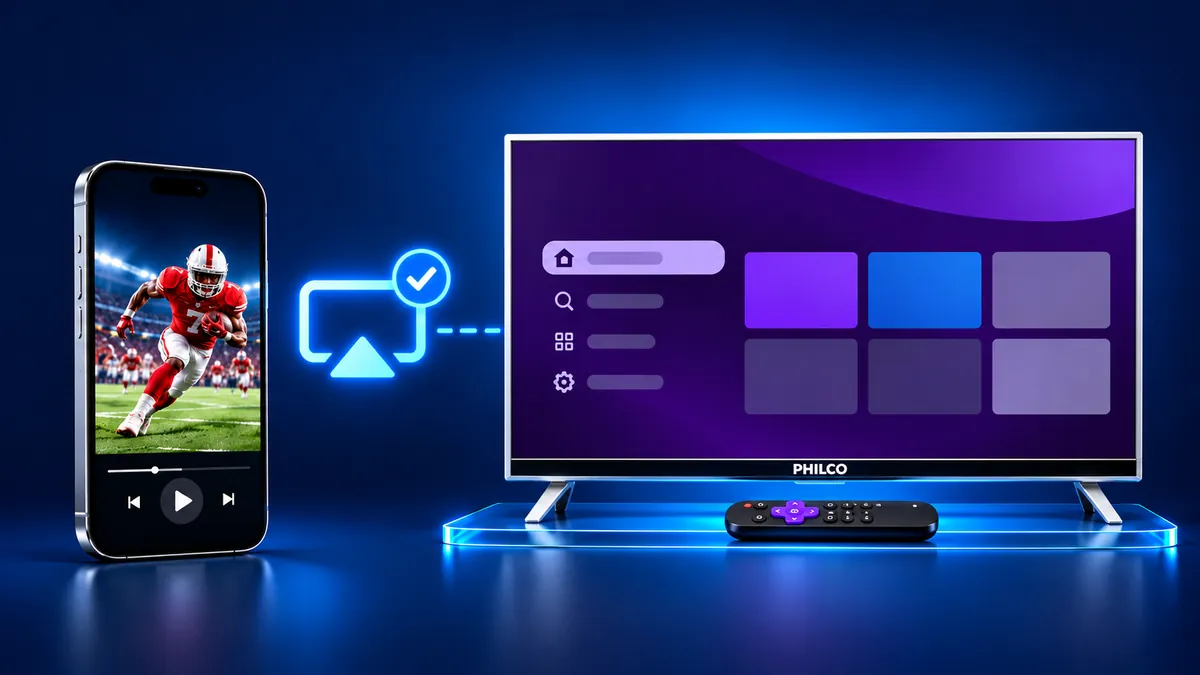
Mirroring an iPhone to a Philco TV works on smart models, and the platform decides the route. A Philco Roku TV can take AirPlay if the model and Roku OS qualify. Several Android TV and Google TV models list Chromecast. The Screen Mirroring · Smart TV app, for iOS 15 or later, mirrors the whole screen on 12 platforms.
Philco mirroring diagnostic
Pick your platform and get the route that fits.
Which platform does your Philco list?
Contents
- Which Philco TV platform do you have?
- Does a Philco Roku TV have AirPlay?
- How to mirror an iPhone to a Philco TV with AirPlay
- Philco Android TV and Google TV: casting from apps
- Philco TV without smart features: use a cable
- Which app mirrors an iPhone to a Philco TV?
- Why won't your iPhone mirror to your Philco TV?
Which Philco TV platform do you have?
Unsure which platform? The app finds your TV on its own on the same Wi-Fi, so you can skip the lookup.
Still want to check? Philco's smart sets run Roku TV, Android TV or Google TV (a few list plain Android), and the platform decides how an iPhone reaches the screen. Philco lists it in the "Sistema Operacional" (Operating System) row of each model's specifications on philco.com.br.
Most smart models run Roku TV, such as the P43KRB and PTV55G52R2C. The PTV32M9GACGB and P43EAA run Android TV. The P58KGA and PTV50G2SGTSSBL run Google TV.
The PTV39N87D and PTV24N19D are basic sets. Philco lists their mirroring as Não possui, meaning the set has none.
Does a Philco Roku TV have AirPlay?
It can. Apple's accessory list, archived in December 2025, names one Philco product, Philco Roku TV, although Philco's own pages do not mention AirPlay. Roku Select and Plus Series TVs support AirPlay on any Roku OS version. Most other Roku TVs need Roku OS 9.4 or higher, or 10.0 for the 5xxx and 6xxx series.
Roku does not match Philco's model codes to its own tables. On the TV, Settings > System > About shows the software version and the model.
Then open Settings > Apple AirPlay and HomeKit and check that AirPlay is set to On.
How to mirror an iPhone to a Philco TV with AirPlay
Use these steps on a Philco Roku TV that passed the checks above. The iPhone steps follow Apple's AirPlay page.
- Connect the iPhone to the same Wi-Fi network as the Philco TV.
- On the TV, go to Settings > Apple AirPlay and HomeKit and set AirPlay to On.
- Open Control Center on the iPhone. On an iPhone X or later, swipe down from the upper-right corner.
- Tap the Screen Mirroring button.
- Select your Philco TV from the list.
- If an AirPlay passcode appears on the TV, enter it on the iPhone. The TV may ask for a code the first time.
- To stop, open Control Center, tap Screen Mirroring, then tap Stop Mirroring.
That is five conditions: a model in Apple's list and Roku's tables, one Wi-Fi network, AirPlay On, Control Center and sometimes a code the first time. The app route below also uses one Wi-Fi network, needs no code and finds your TV on its own. Our guide to AirPlay on Roku has the model table.
Philco Android TV and Google TV: casting from apps
On models such as the PTV32M9GACGB, Philco lists Chromecast built-in, and Google Cast works app by app. The PTV32M9GACGB page says so, and the P50EAA and P58KGA list Chromecast too.
Google's Cast help says an iPhone or iPad needs iOS 14 or later. Put the iPhone on the TV's Wi-Fi network, open an app with a Cast button, tap the button, then pick the TV. Turn on Local Network access, because Google says finding Cast devices needs it.
Apple's list has no Philco Android TV or Google TV entry, and Philco names no AirPlay for them. For the whole iPhone screen, try the app below first.
Philco TV without smart features: use a cable
A basic Philco with an HDMI input takes a cable. Apple says you can connect an iPhone to an HDMI display or TV with a USB-C to HDMI adapter or cable.
Apple's list of iPhone models that send video over USB-C covers the iPhone 15 and later, except the 16e and 17e. An iPhone with a Lightning port uses Apple's Lightning Digital AV Adapter instead.
Which app mirrors an iPhone to a Philco TV?
Look for an app that names your TV's platform, supports your iOS version and needs no code.
Screen Mirroring · Smart TV supports 12 platforms, including Roku, Chromecast and Android TV. Philco Roku TV sets run Roku. If your TV has Chromecast built-in, the app casts to it.
It finds your TV on its own on the same Wi-Fi. Pick the Philco once and the app remembers it, so next time it is one tap. You get sound on your TV speakers and no ads. Free download on the App Store.
Why won't your iPhone mirror to your Philco TV?
Unsure why? The app can find the TV for you.
Still want AirPlay? The iPhone and the TV may be on different networks, or the TV may have no AirPlay.
- Apple requires one Wi-Fi network for the iPhone and the TV.
- AirPlay may be switched off on a Roku TV, so check Settings > Apple AirPlay and HomeKit.
- For AirPlay, a Roku TV that is off may drop the network. Settings > System > Power > Fast TV start keeps it connected and uses more power than normal standby.
- Philco documents no AirPlay for Android TV and Google TV, so the TV may not appear in the list. Roku trouble has its own guide on Roku AirPlay not working.
What to remember
- The platform decides the route: Roku TV, Android TV or Google TV.
- Chromecast on Android TV and Google TV models casts from apps.
- For the whole iPhone screen, an app is the short path, with no codes.
Read next
More guides
- Why Netflix Won't Mirror or AirPlay From an iPhone
- Smart View App on Galaxy and iPhone (2026)
- Onvo TV Screen Mirroring on iPhone: What Works (2026)
- Panasonic VIERA Screen Mirroring: iPhone and Android
- Beko TV Screen Mirroring for iPhone Owners (2026)
- Sunny TV Screen Mirroring From iPhone (2026)
- Grundig TV Screen Mirroring: What Works on iPhone (2026)
- Arcelik TV Screen Mirroring From an iPhone (2026)
- How to AirPlay to Samsung TV: Steps and Menu (2026)
- Vestel TV Screen Mirroring: iPhone and Android (2026)
- How to Mirror iPad to Roku TV: Steps and Models (2026)
- AirPlay Password: Where the TV Code Comes From (2026)
- How to Fix No Sound in Screen Mirroring (2026)
- Apple TV Screen Mirroring From iPhone (2026)
- Hisense TV AirPlay: How to AirPlay on Hisense TV (2026)
- TCL TV AirPlay: How to AirPlay to TCL TV (2026)
- How to Cast iPad to Samsung TV (2026)
- How to Mirror iPad to TV: 3 Ways That Work (2026)
- AirPlay Not Working on Samsung TV: Fixes (2026)
- What Is Screen Mirroring? How It Works on iPhone
